¶ Managing Administrators (GUI)
¶ Authentication Profiles
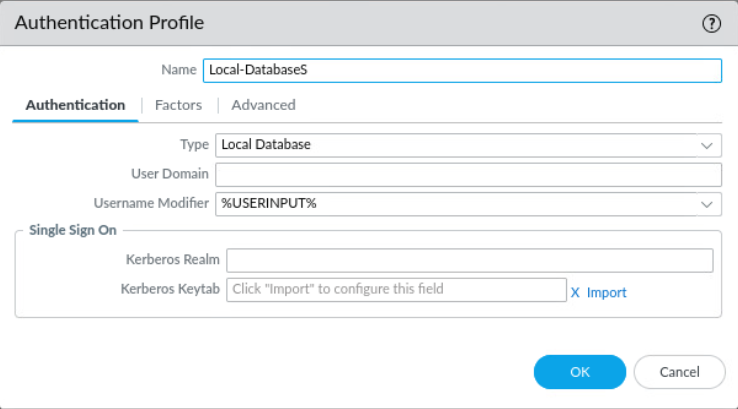
First create an authentication profile to define how users authenticate when accessing the firewall
Navigate to Device > Authentication Profile
Recommended to use the internal local database for competition
Example (using local database):
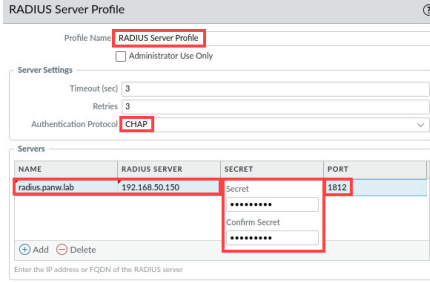
Server profiles (Device > Server Profiles) can be created for relevant authentication methods such as LDAP or Kerberos to be implemented into authentication profiles
Example (RADIUS):
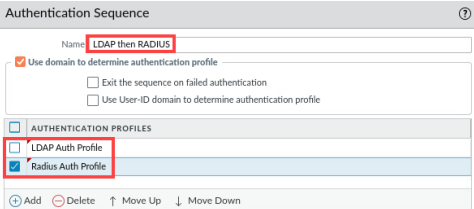
Authentication sequences (Device > Authentication Sequence) can be used if multiple authentication profiles are to be checked for each user. Position defines sequence.
Example (LDAP and RADIUS):
¶ Adding Users
(If using Local-Database as authentication method) Users can then be added to the Local User Database
Navigate to Device > Local User Database > Users
Administrators can be added to Device > Administrators
Here authentication profiles created as detailed above will be used to determine how users authenticate
¶ Admin accounts via CLI
Note: admin and panorama are default users
Change admin password
In config mode:
set mgt-confg users admin password
Check for additional admin accounts
show admins all
Delete admin accounts
config mode:
delete mgt-config users [SUS ACCOUNT NAME HERE]
commit